Action log
The action log (Manage > Logs) is a plain-language history of the changes made in your organization. Use it to find out who changed a setting, approved a request or removed someone.
Members with the View Action Log permission. Other members see Manage > Logs greyed out.
Open the log
Go to Manage > Logs. Each entry is one sentence under Activity, with its Date, newest first. For example:
- "Priya assigned the "Hiring Manager" role to Sam."
- "Alex approved Jordan's Vacation time off for 2026-10-05 to 2026-10-09 (40h)."
- "Sam granted Taylor a one-time top-up of 50000 tokens."
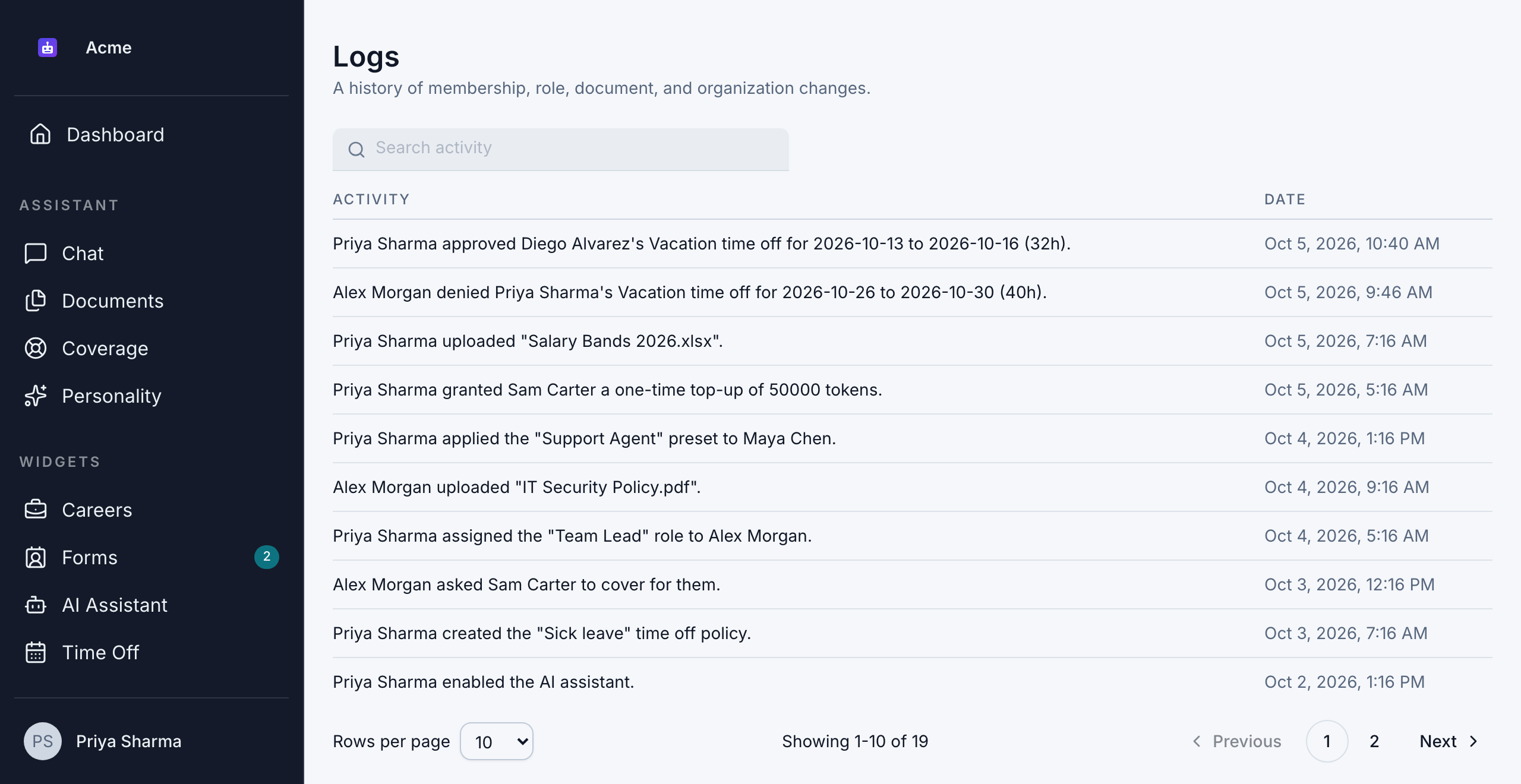
The latest 8 entries also appear under Recent activity on the Dashboard.
Your plan decides how far back you can see: 7 days on the Free plan and 90 days on the Business plan, with no limit on the Enterprise plan. When there's a limit, you see "Showing the last … days on your plan." under the search box. Older entries are kept, and come back into view if you upgrade. See Plan limits.
Search the log
Type in Search activity to find entries that contain your words, such as a person's name, a role or a policy.
Search looks through the most recent 2,000 entries. To find something older, scroll through the pages of the log.
What gets logged
| Area | What's recorded |
|---|---|
| Members | Joining and leaving, removals, invites sent, re-sent and revoked, invite links created and revoked, join requests and approvals |
| Roles | Roles created, renamed and deleted, permissions granted and removed, roles given to or taken from members |
| Member presets | Presets created, updated and deleted, and presets applied to members |
| Organization | Name, logo and subdomain changes |
| Billing | Plan changes, scheduled downgrades and seat count changes, and job postings, contact forms or time-off policies turned off because of a plan limit (shown as done by "Plan limits") |
| Usage | Weekly limit overrides set or reset, and top-ups granted |
| Knowledge base | Documents uploaded, renamed and deleted, and changes to who can use them |
| Website assistant | Set up, enabled, disabled and settings updated, and its documents uploaded and deleted |
| Forms | Contact forms edited, including their notification email; lead statuses and email templates created, updated and deleted |
| Hiring | Rejection and move-forward emails created, edited, reset to the default and deleted |
| Time off | Requests approved, denied and revoked; balance adjustments with their note; policies created, updated and archived; changes to who a policy covers; holidays added and removed; time-off settings changes |
| Shifts | Shifts created, updated and archived, and changes to a member's weekly schedule |
| Coverage | Responsibilities created, updated and deleted; process documents published and archived; coverage requested, accepted, declined and revoked; handovers started, completed and cancelled |
Some things aren't logged:
- Creating or deleting a contact form, or turning one on or off yourself.
- Creating or editing a job posting.
- A member cancelling their own time-off request.
- Chat conversations.
Good to know
- The log can't be changed. Nobody, including admins, can edit or delete entries.
- Names are saved with each entry. An entry still shows the right name even if that person later leaves or a role is renamed.
- How far back it goes: entries are kept for good. How far back you can see depends on your plan (see Open the log).