Review incoming coverage
This page shows you where to find every coverage request, grant and handover that involves you, and how to act on them. To do the covering work itself, see Cover for a teammate.
Members with the Use Coverage permission. The All grants section also needs Manage Coverage.
The Grants tab
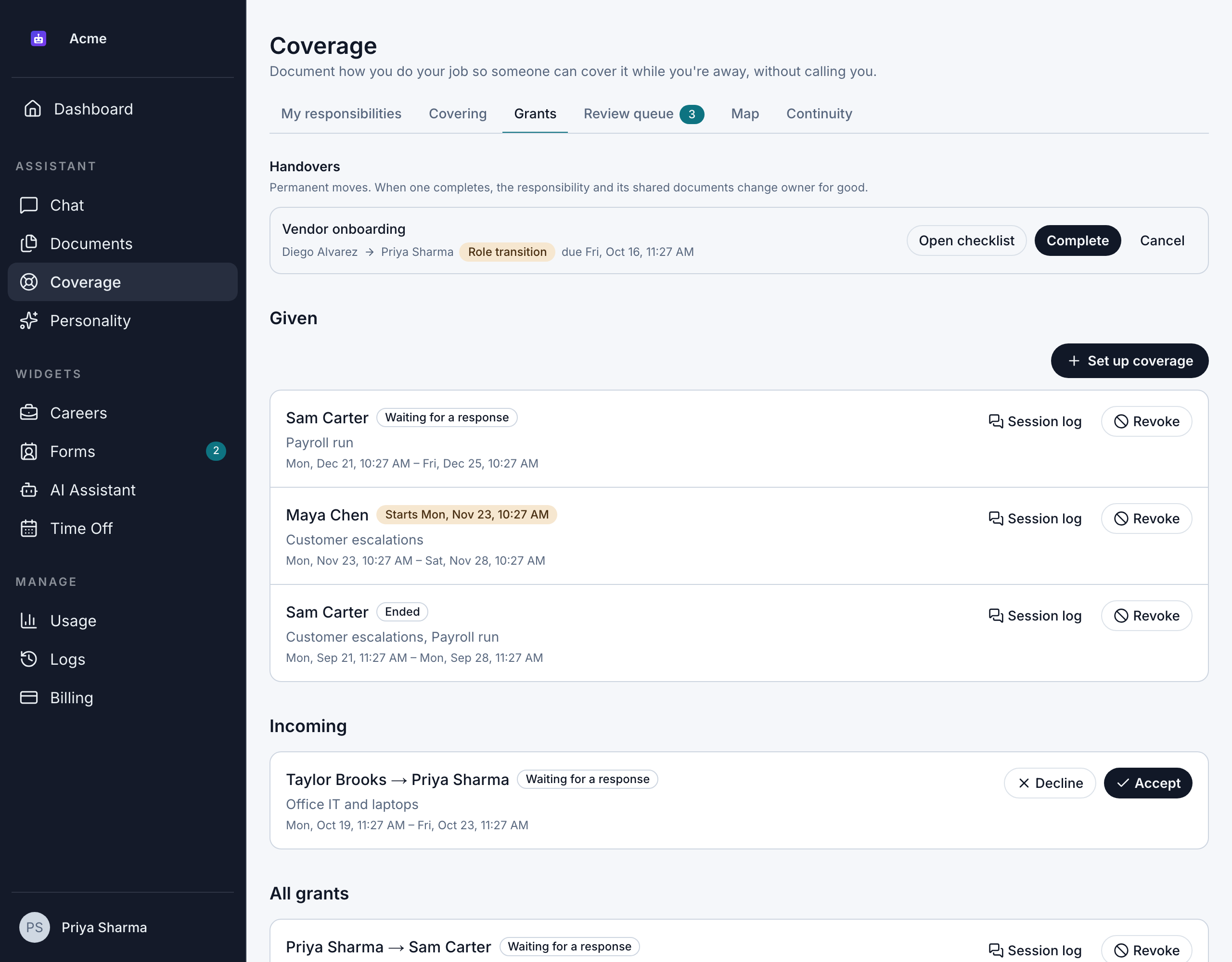
Go to Scheduling > Coverage > Grants. The tab has these sections:
| Section | What it shows |
|---|---|
| Handovers | Open permanent handovers you're part of. Only shown when there are some. See Transfer responsibilities. |
| Given | Coverage you've asked others to provide, with its state and dates. |
| Incoming | Requests from teammates waiting for you to accept or decline. |
| All grants | Every grant in the organization. Only for members with Manage Coverage. |
Each grant shows who's covering, the responsibilities, the dates and its state. See Grant states for what each state means.
Coverage you've accepted is on the Covering tab, not here.
Accept or decline a request
- Under Incoming, find the request. It shows who's asking, the responsibilities and the dates.
- Click Accept or Decline.
When you accept, the coverage appears on Scheduling > Coverage > Covering, and you can use it from the start time. When you decline, it disappears from Incoming. Either way, the person who asked gets an email.
A request that nobody answers before its end time expires. You can't accept it after that, and it leaves Incoming.
Manage coverage you've given
Under Given, each grant has:
- Session log: every question your delegate asked, whether the answer was Documented, Partially documented or Not documented, and which documents it came from.
- Revoke: ends the grant early. See Change or revoke coverage.
To set up new coverage, click Set up coverage.
What coverage managers can do
Members with Manage Coverage see an extra section, All grants, listing every grant in the organization as "owner → delegate".
| Any member with Use Coverage | With Manage Coverage too | |
|---|---|---|
| See grants | Grants they gave or were asked to cover | Every grant in the organization |
| Session logs | For grants they gave | For any grant |
| Revoke | Grants they gave | Any open grant |
| Accept or decline | Requests sent to them | Requests sent to them |
| Handovers | Ones they're part of | Every handover, and can finish them early |
Coverage managers can't accept or decline for someone else, and can't use another person's grant to read documents.